n8n Workflow: WordPress Bulk SEO Publisher
Publish SEO-optimized content to WordPress at scale. Automate drafting, keyword insertion, image optimization, and scheduled publishing.
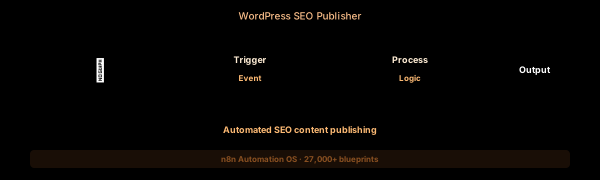

How This Blueprint Works
Content publishing involves more than just typing in the WordPress editor. This workflow automates the entire process: AI generates the article, Yoast SEO metadata is applied, images are uploaded and optimized, and the post is scheduled or published.

The Execution Sequence
- Manual / Google Sheets Trigger Node — Reads a content calendar Google Sheet with columns: topic, target_keyword, outline, post_type, publish_date. Each row triggers a new article generation. Rows are marked “in progress” during processing.
- AI Content Gen Node — The OpenAI node sends a structured prompt to GPT-4o with the article outline from the sheet. Parameters: temperature 0.7, max_tokens 4000, model gpt-4o. Instructions include writing in the specified style, inserting LSI keywords naturally, and producing HTML-formatted output.
- SEO Optimizer Node — An HTTP Request node that sends the generated article to a separate AI prompt (or directly to OpenAI) that extracts: Yoast SEO title (55-60 chars), meta description (150-160 chars), focus keyphrase, and a comma-separated list of related keywords. These are formatted as Yoast REST API input.
- WordPress Publisher Node — Creates a WordPress post via the WP REST API (POST /wp-json/wp/v2/posts). Sets title, content (HTML), status (publish/draft/pending), featured_media (from image generation step), and Yoast meta fields (yoast_head_json) via the Yoast REST API extension.
- Sheet Logger Node — After successful publishing, updates the Google Sheet row: sets status = “Published”, adds the post URL, publish date, and SEO scores (from Yoast). If publishing fails, the row is marked “Failed” with an error column for debugging.
FAQ
What WordPress APIs does this use?
The workflow uses the WordPress REST API (application passwords for auth) and the Yoast SEO REST API plugin. Both endpoints are available on any WordPress 5.6+ installation. The Yoast plugin must be installed and active on the site.
Can I automate image generation for featured images?
Yes. Add an OpenAI DALL-E 3 node before the WordPress Publisher step. Input the article topic as the image generation prompt. The generated image is uploaded to WordPress media library and set as the featured image via the WP REST API.
How do I handle bulk posting without duplicate content?
The Google Sheet trigger tracks status per row. “In Progress” rows are skipped on subsequent runs. The workflow checks if a post with the same title exists in WordPress (via WP REST API search) before creating a duplicate.
The JSON Blueprint Structure
{
  "name": "AI WordPress Publisher",
  "nodes": [
    { "name": "Sheet Trigger", "type": "n8n-nodes-base.googleSheets", "position": [250, 300] },
    { "name": "OpenAI Writer", "type": "n8n-nodes-base.openAi", "position": [450, 300] },
    { "name": "SEO Generator", "type": "n8n-nodes-base.httpRequest", "position": [650, 300] },
    { "name": "WP Publisher", "type": "n8n-nodes-base.httpRequest", "position": [850, 300] }
  ]
}
What You Get Inside Your SynthOperator System
This workflow is one of 27,400+ blueprints included in the n8n Business Automation OS ($17, one-time). When you deploy the complete system, you get:
- 27,400+ pre-built workflow JSON files across every business domain
- 15 elite AI agents integrated into your automation pipelines
- Lifetime updates, offline operation, and zero recurring fees
**Deploy your complete automation infrastructure today.
System Requirements
Operational Benefits
Trusted by Operators
"Deployed the full OS across 7 client accounts in week one. The 27K template library meant I stopped building workflows from scratch — I search, import, configure credentials, and deploy. Estimated 80+ hours/month saved in workflow development alone. The 15 AI agents replaced $12K/month in contractor overhead."

"The infrastructure architecture is production-grade. I've run 15,000+ workflow executions over 90 days with zero critical failures. The error-handling patterns (retry logic, dead-letter queues, Slack alerting) are already wired in. I spent 3 years building similar tooling in-house — this saved me 6+ months of engineering."

Free: Top 10 n8n Workflows
Get 10 industrial-grade n8n blueprints — ready to import into any instance. Save 10h/week with these ready-to-deploy automations.
- Industrial-grade n8n blueprints
- Recursive Claude subagent instructions
- Localhost deployment guide
- Lifetime update protocol