n8n Workflow: WooCommerce Order Automation
Automate WooCommerce order processing. Send confirmations, update inventory, notify shipping, and sync with your accounting tool.
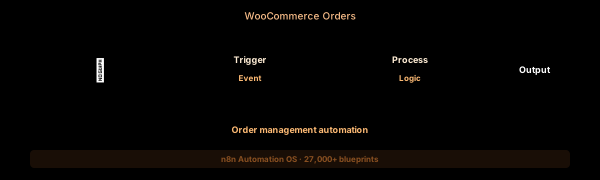

How This Blueprint Works
Running a WooCommerce store means processing orders around the clock. This workflow listens for new and updated WooCommerce orders via webhook, enriches them with customer data, and triggers fulfillment, inventory, and notification actions.

The Execution Sequence
- WooCommerce Webhook Node — Listens for woocommerce_order_status_pending, _processing, _completed, and _cancelled events. Configure webhooks in WooCommerce > Settings > Advanced > Webhooks. Each event sends the full order object as JSON.
- Order Normalizer Node — A Code node that extracts and structures the WooCommerce order payload. Outputs: order_id, customer (name, email, phone), line_items (name, qty, price, SKU), shipping_address, payment_method_title, and order_total for downstream processing.
- Fulfillment Router Node — A Switch node that checks line_items for product_type. Physical products trigger a shipping label API call (ShipStation, Shippo). Digital products trigger an email delivery node. Mixed carts split into two parallel fulfillment branches.
- Multi-Sender Node — Three parallel HTTP Request nodes running simultaneously: (1) WooCommerce REST API to update order status to “processing” and add internal notes, (2) SendGrid/SMTP to send order confirmation to the customer, (3) Slack to post a new order notification in #orders channel.
- Order Dead Letter Node — If the WooCommerce webhook payload is malformed (missing required fields, invalid JSON), the raw event is logged to a Google Sheet. The ops team reviews daily and reprocesses via a bulk-replay workflow.
FAQ
What WooCommerce webhook events are supported?
All order status transitions: pending, processing, completed, cancelled, refunded, failed, on-hold. Configure each webhook topic individually in WooCommerce. The workflow handles each status transition with specific automation logic.
Can I add order notes automatically?
Yes. Use the WooCommerce REST API node to POST /wp-json/wc/v3/orders/{id}/notes. Add internal notes like “Order automatically routed to ShipStation warehouse” or “Digital download link sent to customer email.”
How do I handle partial shipments?
Extend the Fulfillment Router with multi-output branches. Items shipped together get one tracking number. Items from different warehouses trigger separate fulfillment requests, each with its own tracking number stored as an order meta field.
The JSON Blueprint Structure
{
  "name": "WooCommerce Order Pipeline",
  "nodes": [
    { "name": "WC Webhook", "type": "n8n-nodes-base.webhook", "position": [250, 300] },
    { "name": "Order Parser", "type": "n8n-nodes-base.code", "position": [450, 300] },
    { "name": "Fulfill Switch", "type": "n8n-nodes-base.switch", "position": [650, 300] },
    { "name": "Slack Out", "type": "n8n-nodes-base.slack", "position": [850, 300] }
  ]
}
What You Get Inside Your SynthOperator System
This workflow is one of 27,400+ blueprints included in the n8n Business Automation OS ($17, one-time). When you deploy the complete system, you get:
- 27,400+ pre-built workflow JSON files across every business domain
- 15 elite AI agents integrated into your automation pipelines
- Lifetime updates, offline operation, and zero recurring fees
**Deploy your complete automation infrastructure today.
System Requirements
Operational Benefits
Trusted by Operators
"Deployed the full OS across 7 client accounts in week one. The 27K template library meant I stopped building workflows from scratch — I search, import, configure credentials, and deploy. Estimated 80+ hours/month saved in workflow development alone. The 15 AI agents replaced $12K/month in contractor overhead."

"The infrastructure architecture is production-grade. I've run 15,000+ workflow executions over 90 days with zero critical failures. The error-handling patterns (retry logic, dead-letter queues, Slack alerting) are already wired in. I spent 3 years building similar tooling in-house — this saved me 6+ months of engineering."

Free: Top 10 n8n Workflows
Get 10 industrial-grade n8n blueprints — ready to import into any instance. Save 10h/week with these ready-to-deploy automations.
- Industrial-grade n8n blueprints
- Recursive Claude subagent instructions
- Localhost deployment guide
- Lifetime update protocol