n8n Workflow: WhatsApp Business API Automation
Automate WhatsApp Business messaging with this n8n blueprint. Send notifications, handle inbound messages, and sync with your CRM.
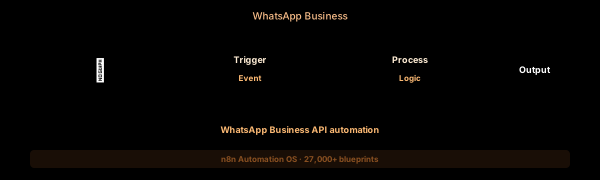

How This Blueprint Works
WhatsApp is the most engaging communication channel with 98% open rates. This workflow integrates the WhatsApp Business Cloud API with n8n to send template messages, handle incoming replies, and connect WhatsApp conversations to your CRM and support tools.
The Execution Sequence
- WhatsApp Trigger Node — A webhook configured as the WhatsApp Cloud API callback URL. Register this URL in Meta Developer Console > WhatsApp > Webhooks. Each incoming message contains: from (sender phone), text/body, type (text, interactive, image), and timestamp.
- Message Parser Node — A Code node that classifies the incoming WhatsApp message. Detects message type: text (natural language), interactive (button reply, list selection), image (photo messages), and order (WhatsApp order messages). Extracts the sender’s name from the Meta profiles API.
- Intent Router Node — A Switch node with intent branches configured via keyword matching: “support” keywords (help, issue, refund) route to human agent queue, “sales” keywords (pricing, buy, demo) route to sales CRM, “order” keywords (status, tracking) route to Shopify order lookup.
- Reply Sender Node — An HTTP Request to POST https://graph.facebook.com/v21.0/{phone_number_id}/messages. Sends template messages for business scenarios (order_confirmation, shipping_update) and text messages for conversational replies. Includes reply_to message_id for threading.
- Unhandled Logger Node — Messages that don’t match any known intent are logged to a Google Sheet with sender_phone, message_body, and timestamp. A Slack notification alerts the team to configure a new intent or answer manually.
FAQ
What WhatsApp features are available through the Cloud API?
The WhatsApp Business Cloud API supports: template messages (pre-approved), text messages, interactive messages (buttons, lists, CTA), image/video/document messages, and order messages. Requires a Meta Business Account and WhatsApp Business Account.
How do WhatsApp message templates work?
Templates must be pre-approved by Meta. The workflow uses the Template category: MARKETING, UTILITY, or AUTHENTICATION. Each template has {{variable}} placeholders that the n8n Code node populates from your database before sending.
Can I send proactive WhatsApp messages?
Yes, but only using approved templates. Use the HTTP Request node to POST to the /messages endpoint with a pre-approved template. Common use cases: shipping confirmations, appointment reminders, and payment receipts.
The JSON Blueprint Structure
{
  "name": "WhatsApp Business Hub",
  "nodes": [
    { "name": "WA Webhook", "type": "n8n-nodes-base.webhook", "position": [250, 300] },
    { "name": "Message Classifier", "type": "n8n-nodes-base.code", "position": [450, 300] },
    { "name": "Intent Switch", "type": "n8n-nodes-base.switch", "position": [650, 300] },
    { "name": "Reply API", "type": "n8n-nodes-base.httpRequest", "position": [850, 300] }
  ]
}
What You Get Inside Your SynthOperator System
This workflow is one of 27,400+ blueprints included in the n8n Business Automation OS ($17, one-time). When you deploy the complete system, you get:
- 27,400+ pre-built workflow JSON files across every business domain
- 15 elite AI agents integrated into your automation pipelines
- Lifetime updates, offline operation, and zero recurring fees
**Deploy your complete automation infrastructure today.
System Requirements
Operational Benefits
Trusted by Operators
"Deployed the full OS across 7 client accounts in week one. The 27K template library meant I stopped building workflows from scratch — I search, import, configure credentials, and deploy. Estimated 80+ hours/month saved in workflow development alone. The 15 AI agents replaced $12K/month in contractor overhead."

"The infrastructure architecture is production-grade. I've run 15,000+ workflow executions over 90 days with zero critical failures. The error-handling patterns (retry logic, dead-letter queues, Slack alerting) are already wired in. I spent 3 years building similar tooling in-house — this saved me 6+ months of engineering."

Free: Top 10 n8n Workflows
Get 10 industrial-grade n8n blueprints — ready to import into any instance. Save 10h/week with these ready-to-deploy automations.
- Industrial-grade n8n blueprints
- Recursive Claude subagent instructions
- Localhost deployment guide
- Lifetime update protocol