n8n Workflow: Supabase Database Automation
Automate Supabase database operations. Sync data, trigger webhooks on row changes, and build event-driven workflows.
How This Blueprint Works
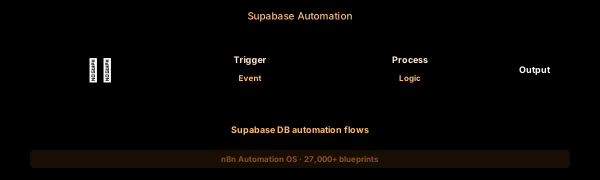
Supabase provides a powerful PostgreSQL-backed backend, but real-time data changes often need to trigger external actions. This workflow uses Supabase’s webhook triggers (via Database Functions or Realtime) to detect row changes and sync them to external services.
The Execution Sequence
- Supabase Webhook Node — Listens for HTTP POST requests from Supabase Database Webhooks. Configure in Supabase Dashboard > Database > Webhooks. Each request contains the old and new row data, operation type, and table name.
- Payload Parser Node — A Code node that normalizes the Supabase change event into a standard format. Extracts the record (new row data), old_record (previous state, null on INSERT), event type (INSERT, UPDATE, DELETE), and schema/table name for routing.
- Change Router Node — A Switch node that directs changes to the correct sync path: “users” table changes route to CRM sync, “orders” table changes route to Shopify/webhook, “content” table changes route to search index (Algolia/Meilisearch).
- External Sync Node — An HTTP Request node that sends the change payload to the destination service. For CRM syncs, maps Supabase column names to CRM field names. Includes idempotency key in headers to prevent duplicate processing.
- Retry Queue Node — If the external service returns an error or is unreachable, the Code node inserts the failed payload into a Supabase sync_queue table with retry_count = 1 and next_retry_at = now() + 5 minutes for reprocessing.
FAQ
What changed data capture (CDC) methods does Supabase support?
Supabase Database Webhooks use PostgreSQL triggers. They fire on INSERT, UPDATE, and DELETE operations. The payload includes the old and new record data plus the operation type. Configured in Supabase Dashboard > Database > Webhooks.
Can I sync to multiple destinations from one table?
Yes. Use the Switch node at the start of the workflow to fan out to multiple branches. For example, new user signups simultaneously sync to HubSpot CRM, Mailchimp audience, and a Slack #new-users channel.
How do I handle large batch operations in Supabase?
n8n’s SplitInBatches node processes records in chunks (default 50). Each batch triggers the webhook and gets processed independently. The Retry Queue tracks each batch’s completion status.
The JSON Blueprint Structure
{
  "name": "Supabase CDC Sync",
  "nodes": [
    { "name": "Supabase Webhook", "type": "n8n-nodes-base.webhook", "position": [250, 300] },
    { "name": "Event Parser", "type": "n8n-nodes-base.code", "position": [450, 300] },
    { "name": "Table Switch", "type": "n8n-nodes-base.switch", "position": [650, 300] },
    { "name": "CRM Sync", "type": "n8n-nodes-base.httpRequest", "position": [850, 300] }
  ]
}
What You Get Inside Your SynthOperator System
This workflow is one of 27,400+ blueprints included in the n8n Business Automation OS ($17, one-time). When you deploy the complete system, you get:
- 27,400+ pre-built workflow JSON files across every business domain
- 15 elite AI agents integrated into your automation pipelines
- Lifetime updates, offline operation, and zero recurring fees
**Deploy your complete automation infrastructure today.
System Requirements
Operational Benefits
Trusted by Operators
"Deployed the full OS across 7 client accounts in week one. The 27K template library meant I stopped building workflows from scratch — I search, import, configure credentials, and deploy. Estimated 80+ hours/month saved in workflow development alone. The 15 AI agents replaced $12K/month in contractor overhead."

"The infrastructure architecture is production-grade. I've run 15,000+ workflow executions over 90 days with zero critical failures. The error-handling patterns (retry logic, dead-letter queues, Slack alerting) are already wired in. I spent 3 years building similar tooling in-house — this saved me 6+ months of engineering."

Free: Top 10 n8n Workflows
Get 10 industrial-grade n8n blueprints — ready to import into any instance. Save 10h/week with these ready-to-deploy automations.
- Industrial-grade n8n blueprints
- Recursive Claude subagent instructions
- Localhost deployment guide
- Lifetime update protocol