n8n Workflow: Stripe Subscription Manager
Manage Stripe subscriptions at scale. Automate upgrades, downgrades, cancellations, and billing alerts with this pre-built workflow.

How This Blueprint Works
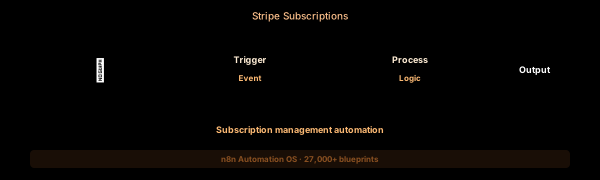
SaaS subscription management involves more than just collecting payments. This workflow automates the entire subscription lifecycle — from trial creation and activation to upgrade, downgrade, cancellation, and reactivation — with Slack alerts at every milestone.
The Execution Sequence
- Stripe Trigger Node — Subscribes to all customer.subscription. events. The most important are: customer.subscription.created (new signup), customer.subscription.updated (plan change), customer.subscription.deleted (cancellation), and customer.subscription.trial_will_end (3-day warning).*
- Customer Resolver Node — An HTTP Request to Stripe’s /v1/customers/{id} endpoint. Retrieves customer name, email, creation date, total revenue to date, and a list of active payment methods. Attaches this context to downstream notifications.
- Lifecycle Router Node — A Switch node with branches: “trial_created” routes to welcome email trigger, “trial_will_end” routes to conversion campaign, “subscription_created” routes to onboarding, “subscription_updated” routes to confirmation, “subscription_deleted” routes to win-back sequence.
- Notification Hub Node — Posts to #customer-ops in Slack. Each message type has a distinct color: green for new subscriptions, yellow for upgrades, red for cancellations, purple for trial ending. Includes customer MRR, plan name, and a link to the Stripe dashboard.
- Dead Letter Node — Stripe may send webhook events that don’t map to a known customer or plan. These are logged to a Google Sheet with raw event body, timestamp, and event type for periodic manual review by the finance team.
FAQ
How do I handle subscription proration?
Stripe automatically calculates proration for upgrades and downgrades. The customer.subscription.updated event includes pending_update with proration details. The workflow logs proration amounts in notification messages.
Can I automatically upgrade subscriptions based on usage?
Yes. Add a usage monitor (from a separate workflow or API) that checks current plan limits. When a threshold is exceeded, trigger an API call to Stripe to update the subscription to the next tier with immediate proration.
How do I prevent accidental cancellations?
The workflow catches subscription.deleted events and sends a cancellation confirmation to the customer via email with a reactivation link. If reactivation doesn’t happen in 7 days, the workflow triggers a win-back email sequence.
The JSON Blueprint Structure
{
  "name": "Stripe Subscription Manager",
  "nodes": [
    { "name": "Stripe Trigger", "type": "n8n-nodes-base.stripeTrigger", "position": [250, 300] },
    { "name": "Customer API", "type": "n8n-nodes-base.httpRequest", "position": [450, 300] },
    { "name": "Event Switch", "type": "n8n-nodes-base.switch", "position": [650, 300] },
    { "name": "Slack Out", "type": "n8n-nodes-base.slack", "position": [850, 300] }
  ]
}
What You Get Inside Your SynthOperator System
This workflow is one of 27,400+ blueprints included in the n8n Business Automation OS ($17, one-time). When you deploy the complete system, you get:
- 27,400+ pre-built workflow JSON files across every business domain
- 15 elite AI agents integrated into your automation pipelines
- Lifetime updates, offline operation, and zero recurring fees
**Deploy your complete automation infrastructure today.
System Requirements
Operational Benefits
Trusted by Operators
"Deployed the full OS across 7 client accounts in week one. The 27K template library meant I stopped building workflows from scratch — I search, import, configure credentials, and deploy. Estimated 80+ hours/month saved in workflow development alone. The 15 AI agents replaced $12K/month in contractor overhead."

"The infrastructure architecture is production-grade. I've run 15,000+ workflow executions over 90 days with zero critical failures. The error-handling patterns (retry logic, dead-letter queues, Slack alerting) are already wired in. I spent 3 years building similar tooling in-house — this saved me 6+ months of engineering."

Free: Top 10 n8n Workflows
Get 10 industrial-grade n8n blueprints — ready to import into any instance. Save 10h/week with these ready-to-deploy automations.
- Industrial-grade n8n blueprints
- Recursive Claude subagent instructions
- Localhost deployment guide
- Lifetime update protocol