n8n Workflow: Pipedrive Deal Won Automation
Automate post-deal actions when a Pipedrive deal is won. Generate invoices, handoff to delivery, and notify the team automatically.
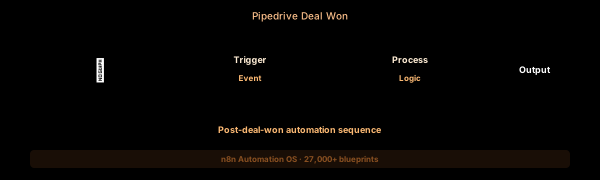

How This Blueprint Works
When a deal closes in Pipedrive, a chain reaction of follow-up actions needs to happen. This workflow detects deals moved to “Won”, triggers customer onboarding, updates accounting records, and notifies the team.

The Execution Sequence
- Pipedrive Trigger Node — Subscribes to deal.updated events via the Pipedrive Webhook (API v2). Configured to filter only status change to “won” using a condition in the Code node that follows.
- Deal Detailer Node — Uses the Pipedrive node to GET the full deal (person details, organization, products, custom fields). The Pipedrive v2 API returns structured data including weighted value, expected close date, and pipeline stage history.
- Won Deal Processor Node — A Code node that determines the onboarding workflow path. Enterprise deals ($50K+) trigger a white-glove onboarding sequence; mid-market deals trigger an automated welcome email series.
- Multi-Notifier Node — Posts a celebratory deal card to #sales-wins in Slack with deal value, product, rep name, a GIF, and a View in Pipedrive button. Also creates an Asana task for the onboarding team.
- Audit Logger Node — Appends a row to a Pipedrive Wins Google Sheet with the deal ID, value, product, sales rep, close date, and any custom deal fields for quarterly commission calculations.
FAQ
What Pipedrive API version does this use?
The workflow targets Pipedrive API v2 (launched late 2025). If your n8n instance uses the legacy Pipedrive node (API v1, deprecated Jan 2026), update to the v2 endpoint in the HTTP Request node.
Can I automate invoice creation on Won deals?
Yes. Add a node after the Deal Detailer to call Stripe Invoices API or your accounting platform. Pass deal value, customer email, and product description from Pipedrive custom fields.
How do I handle deal stage transitions other than Won?
Extend the trigger to handle Lost, Stalled, or Deals with a specific Deal_Stage label. Use the Switch node to route each transition type to a different automation branch.
The JSON Blueprint Structure
{
  "name": "Pipedrive Deal Win Automation",
  "nodes": [
    { "name": "PD Trigger", "type": "n8n-nodes-base.pipedriveTrigger", "position": [250, 300] },
    { "name": "Deal Detailer", "type": "n8n-nodes-base.pipedrive", "position": [450, 300] },
    { "name": "Win Processor", "type": "n8n-nodes-base.code", "position": [650, 300] },
    { "name": "Slack Notifier", "type": "n8n-nodes-base.slack", "position": [850, 300] }
  ]
}
What You Get Inside Your SynthOperator System
This workflow is one of 27,400+ blueprints included in the n8n Business Automation OS ($17, one-time). When you deploy the complete system, you get:
- 27,400+ pre-built workflow JSON files across every business domain
- 15 elite AI agents integrated into your automation pipelines
- Lifetime updates, offline operation, and zero recurring fees
**Deploy your complete automation infrastructure today.
System Requirements
Operational Benefits
Trusted by Operators
"Deployed the full OS across 7 client accounts in week one. The 27K template library meant I stopped building workflows from scratch — I search, import, configure credentials, and deploy. Estimated 80+ hours/month saved in workflow development alone. The 15 AI agents replaced $12K/month in contractor overhead."

"The infrastructure architecture is production-grade. I've run 15,000+ workflow executions over 90 days with zero critical failures. The error-handling patterns (retry logic, dead-letter queues, Slack alerting) are already wired in. I spent 3 years building similar tooling in-house — this saved me 6+ months of engineering."

Free: Top 10 n8n Workflows
Get 10 industrial-grade n8n blueprints — ready to import into any instance. Save 10h/week with these ready-to-deploy automations.
- Industrial-grade n8n blueprints
- Recursive Claude subagent instructions
- Localhost deployment guide
- Lifetime update protocol