n8n Workflow: Notion Task Manager Automation
Automate Notion task management. Create tasks from forms, emails, and Slack messages. Sync with your project management stack.

How This Blueprint Works
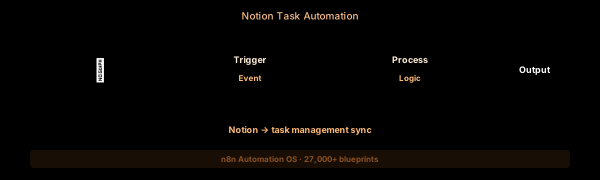
Turn Notion into your automation command center. This workflow monitors Notion databases for new or updated pages, extracts task details, and routes them to project management tools, calendars, or communication platforms.
The Execution Sequence
- Notion Trigger Node — Polls a specific Notion database at configurable intervals (default 5 minutes). Fires when pages are created or when specified properties (Status, Assignee, Priority) are updated.
- Page Parser Node — A Code node that extracts the structured Notion page properties (using the Notion API title, rich_text, select, date, and people property types) into a flat JSON object for downstream processing.
- Task Router Node — A Switch node with branches by task type. Bugs route to #engineering, feature requests to #product, and content tasks to #marketing. Unmatched types log to the catch-all branch.
- Assignee Notifier Node — A Slack node that posts a richly formatted message tagging the assignee. Includes the task name, priority badge, due date, and a direct link back to the Notion page.
- Orphan Logger Node — If the page is missing required properties (assignee, due date) the workflow logs a Notion page URL to a Google Sheet with a reason code for the admin to fix.
FAQ
What Notion database properties can I read?
All property types are supported: text, select, multi-select, date, people, files, relation, rollup, formula, status, and checkbox. The Page Parser parses them into a unified JSON schema.
Can I create Notion pages from the workflow?
Yes. Use the Notion Create Database Page node. You can set all property values dynamically — ideal for auto-creating tasks from form submissions or email integrations.
How do I handle Notion rate limits?
The Notion API allows 3 requests per second (guideline). n8n’s built-in rate limiting handles this. For bulk operations, use the SplitInBatches node to stay within limits.
The JSON Blueprint Structure
{
  "name": "Notion → Slack Task Router",
  "nodes": [
    { "name": "Notion Trigger", "type": "n8n-nodes-base.notionTrigger", "position": [250, 300] },
    { "name": "Page Parser", "type": "n8n-nodes-base.code", "position": [450, 300] },
    { "name": "Task Router", "type": "n8n-nodes-base.switch", "position": [650, 300] },
    { "name": "Slack Notifier", "type": "n8n-nodes-base.slack", "position": [850, 300] }
  ]
}
What You Get Inside Your SynthOperator System
This workflow is one of 27,400+ blueprints included in the n8n Business Automation OS ($17, one-time). When you deploy the complete system, you get:
- 27,400+ pre-built workflow JSON files across every business domain
- 15 elite AI agents integrated into your automation pipelines
- Lifetime updates, offline operation, and zero recurring fees
**Deploy your complete automation infrastructure today.
System Requirements
Operational Benefits
Trusted by Operators
"Deployed the full OS across 7 client accounts in week one. The 27K template library meant I stopped building workflows from scratch — I search, import, configure credentials, and deploy. Estimated 80+ hours/month saved in workflow development alone. The 15 AI agents replaced $12K/month in contractor overhead."

"The infrastructure architecture is production-grade. I've run 15,000+ workflow executions over 90 days with zero critical failures. The error-handling patterns (retry logic, dead-letter queues, Slack alerting) are already wired in. I spent 3 years building similar tooling in-house — this saved me 6+ months of engineering."

Free: Top 10 n8n Workflows
Get 10 industrial-grade n8n blueprints — ready to import into any instance. Save 10h/week with these ready-to-deploy automations.
- Industrial-grade n8n blueprints
- Recursive Claude subagent instructions
- Localhost deployment guide
- Lifetime update protocol