n8n Workflow: Google Analytics 4 Reporting
Automate GA4 reporting. Pull custom reports on schedule, send to Slack or Sheets, and track key metrics without logging into Analytics.
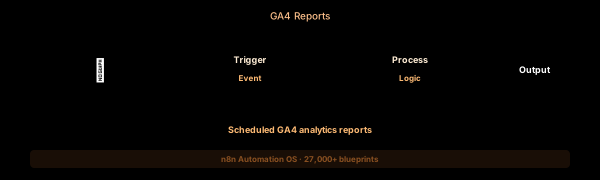

How This Blueprint Works
Google Analytics 4 provides rich event and user data, but exporting reports manually is tedious. This workflow connects to the GA4 Data API, pulls key metrics (active users, sessions, conversion rate), and pushes them into Google Sheets or a dashboard.
The Execution Sequence
- Schedule Trigger Node — Cron expression 0 9 * * 1 triggers every Monday at 9 AM. Configure timezone to match your reporting calendar.
- GA4 Data API Node — An HTTP Request configured with OAuth2 authentication. Calls runReport with dimensions (date, sessionSource, country) and metrics (activeUsers, screenPageViews, conversionRate, totalRevenue).
- Metric Pivot Node — A Code node that transforms the nested GA4 JSON response into flat rows: one row per (date, dimension, metric) combination for easy spreadsheet consumption.
- Sheets Writer Node — Uses the Google Sheets node with operation = Append to add new rows to your reporting spreadsheet. Each week gets its own block with a date header.
- Alert Node — A Slack node that sends a daily analytics digest to #marketing showing top 5 sources by users, conversion rate, and revenue.
FAQ
What GA4 metrics can I pull via the Data API?
All standard and custom metrics are available: activeUsers, screenPageViews, conversionRate, eventCount, totalRevenue, itemViewQuantity, and any custom event parameters.
How do I authenticate to the GA4 Data API?
Use OAuth2 with a service account. Create a service account in Google Cloud Console, grant it Viewer access to your GA4 property, and use the service account key in the OAuth2 node.
Can I automate GA4 exploration reports?
Yes. The runReport endpoint accepts dimension and metric filters identical to the GA4 Explorations interface. Use dimensionFilter to replicate your saved exploration queries.
The JSON Blueprint Structure
{
  "name": "Weekly GA4 Report Generator",
  "nodes": [
    { "name": "Weekly Cron", "type": "n8n-nodes-base.scheduleTrigger", "position": [250, 300] },
    { "name": "GA4 API", "type": "n8n-nodes-base.httpRequest", "position": [450, 300] },
    { "name": "Metric Pivot", "type": "n8n-nodes-base.code", "position": [650, 300] },
    { "name": "Sheets Export", "type": "n8n-nodes-base.googleSheets", "position": [850, 300] }
  ]
}
What You Get Inside Your SynthOperator System
This workflow is one of 27,400+ blueprints included in the n8n Business Automation OS ($17, one-time). When you deploy the complete system, you get:
- 27,400+ pre-built workflow JSON files across every business domain
- 15 elite AI agents integrated into your automation pipelines
- Lifetime updates, offline operation, and zero recurring fees
**Deploy your complete automation infrastructure today.
System Requirements
Operational Benefits
Trusted by Operators
"Deployed the full OS across 7 client accounts in week one. The 27K template library meant I stopped building workflows from scratch — I search, import, configure credentials, and deploy. Estimated 80+ hours/month saved in workflow development alone. The 15 AI agents replaced $12K/month in contractor overhead."

"The infrastructure architecture is production-grade. I've run 15,000+ workflow executions over 90 days with zero critical failures. The error-handling patterns (retry logic, dead-letter queues, Slack alerting) are already wired in. I spent 3 years building similar tooling in-house — this saved me 6+ months of engineering."

Free: Top 10 n8n Workflows
Get 10 industrial-grade n8n blueprints — ready to import into any instance. Save 10h/week with these ready-to-deploy automations.
- Industrial-grade n8n blueprints
- Recursive Claude subagent instructions
- Localhost deployment guide
- Lifetime update protocol