n8n Workflow: Facebook Lead Ads to CRM
Automatically route Facebook Lead Ads to your CRM with this n8n workflow. No coding. Instant lead capture from Facebook to any CRM.
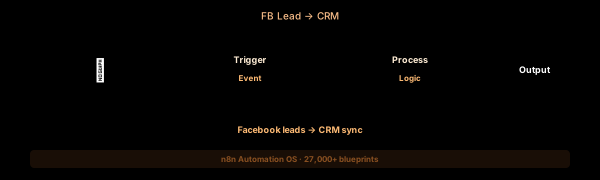

How This Blueprint Works
Facebook Lead Ads generate leads directly inside the platform, but those leads don’t automatically reach your CRM. This workflow captures new lead submissions via the Facebook Lead Ads Trigger, normalizes the field mapping, and creates or updates records in your CRM.

The Execution Sequence
- Facebook Lead Ads Trigger Node — Subscribes to the Lead Ads webhook for a specific Facebook Page and Form ID. Fires in real-time when a user submits a lead form.
- Field Mapper Node — A Code node that normalizes Facebook’s lead field names (full_name, Phone_Number_0, etc.) into your CRM’s standard property names. Handles multi-value fields.
- Duplicate Checker Node — Uses an HTTP Request to search your CRM by email address. If a matching contact exists, the workflow skips creation and logs an update-only flag.
- CRM Upsert Node — The core action node. For new leads, creates a contact with full profile and Lead Source = Facebook Ads. For existing contacts, appends a note with the new submission timestamp.
- Dead Letter Queue Node — If field mapping fails (missing phone, invalid email), the lead record is appended to a Google Sheet named “Facebook - Unprocessed” for manual CRM reconciliation.
FAQ
Can I capture leads from multiple Facebook Pages?
Yes. Deploy one trigger per Page ID or use a Facebook Graph API webhook subscription that covers all pages under a Business Manager account.
What fields does the Lead Ads Trigger return?
The trigger returns all form fields defined in your Lead Form, including standard fields (name, email, phone) and custom questions (dropdown, multiple choice, short answer).
How do I handle Facebook’s lead data retention policy?
Facebook retains lead data for 90 days. Ensure your workflow processes leads within 24 hours. Add a “Processed” tag in your CRM to track which leads were imported.
The JSON Blueprint Structure
{
  "name": "Facebook Leads → CRM Sync",
  "nodes": [
    { "name": "FB Lead Trigger", "type": "n8n-nodes-base.facebookLeadAdsTrigger", "position": [250, 300] },
    { "name": "Field Mapper", "type": "n8n-nodes-base.code", "position": [450, 300] },
    { "name": "Dup Checker", "type": "n8n-nodes-base.httpRequest", "position": [650, 300] },
    { "name": "CRM Upsert", "type": "n8n-nodes-base.hubspot", "position": [850, 300] }
  ]
}
What You Get Inside Your SynthOperator System
This workflow is one of 27,400+ blueprints included in the n8n Business Automation OS ($17, one-time). When you deploy the complete system, you get:
- 27,400+ pre-built workflow JSON files across every business domain
- 15 elite AI agents integrated into your automation pipelines
- Lifetime updates, offline operation, and zero recurring fees
**Deploy your complete automation infrastructure today.
System Requirements
Operational Benefits
Trusted by Operators
"Deployed the full OS across 7 client accounts in week one. The 27K template library meant I stopped building workflows from scratch — I search, import, configure credentials, and deploy. Estimated 80+ hours/month saved in workflow development alone. The 15 AI agents replaced $12K/month in contractor overhead."

"The infrastructure architecture is production-grade. I've run 15,000+ workflow executions over 90 days with zero critical failures. The error-handling patterns (retry logic, dead-letter queues, Slack alerting) are already wired in. I spent 3 years building similar tooling in-house — this saved me 6+ months of engineering."

Free: Top 10 n8n Workflows
Get 10 industrial-grade n8n blueprints — ready to import into any instance. Save 10h/week with these ready-to-deploy automations.
- Industrial-grade n8n blueprints
- Recursive Claude subagent instructions
- Localhost deployment guide
- Lifetime update protocol