n8n Workflow: Facebook Ads Reporting Automation
Automate Facebook Ads reporting. Send daily ad performance reports to Slack, email, or Google Sheets with zero manual work.

How This Blueprint Works
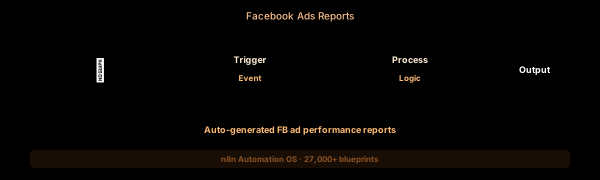
Stop logging into Facebook Ads Manager every morning. This workflow automatically pulls campaign performance data via the Facebook Graph API, calculates key metrics (CTR, CPA, ROAS), formats them into a report, and delivers it to your inbox or Slack.
The Execution Sequence
- Schedule Trigger Node — Configured with a cron expression (0 8 * * 1-5) to run every weekday morning. Uses the n8n cron trigger with timezone support.
- Graph API Query Node — Makes a GET request to /v21.0/act_{id}/campaigns?fields=campaign_name,spend,impressions,clicks,ctr,cpc,cpm&date_preset=yesterday. Supports multi-account pagination.
- Metric Calculator Node — A Code node that processes the raw API response: calculates cost per result, ROAS (revenue / spend), and delta vs same-day-last-week.
- Report Formatter Node — An HTML template node that renders the computed metrics into a mobile-friendly email layout with green/red arrows for performance changes.
- Alert Node — A Slack node that sends a condensed one-line summary per campaign to #marketing-ops with a status emoji indicator.
FAQ
How far back can the Facebook Graph API report?
The API supports date_preset values from today up to last_30d and last_quarter. For custom date ranges, set date_start and date_stop as YYYY-MM-DD.
Can I track multiple ad accounts?
Yes. Use the HTTP Request node with pagination. The Graph API returns all accounts under a Business Manager. Iterate using the SplitInBatches node.
What metrics require special permissions?
Reach and frequency metrics require the ads_read_reach_frequency permission. Conversion metrics require the Facebook pixel to be installed and associated.
The JSON Blueprint Structure
{
  "name": "Daily Facebook Ads Report",
  "nodes": [
    { "name": "Daily Cron", "type": "n8n-nodes-base.scheduleTrigger", "position": [250, 300] },
    { "name": "Graph API Query", "type": "n8n-nodes-base.httpRequest", "position": [450, 300] },
    { "name": "Metric Calculator", "type": "n8n-nodes-base.code", "position": [650, 300] },
    { "name": "Report Email", "type": "n8n-nodes-base.emailSend", "position": [850, 300] }
  ]
}
What You Get Inside Your SynthOperator System
This workflow is one of 27,400+ blueprints included in the n8n Business Automation OS ($17, one-time). When you deploy the complete system, you get:
- 27,400+ pre-built workflow JSON files across every business domain
- 15 elite AI agents integrated into your automation pipelines
- Lifetime updates, offline operation, and zero recurring fees
**Deploy your complete automation infrastructure today.
System Requirements
Operational Benefits
Trusted by Operators
"Deployed the full OS across 7 client accounts in week one. The 27K template library meant I stopped building workflows from scratch — I search, import, configure credentials, and deploy. Estimated 80+ hours/month saved in workflow development alone. The 15 AI agents replaced $12K/month in contractor overhead."

"The infrastructure architecture is production-grade. I've run 15,000+ workflow executions over 90 days with zero critical failures. The error-handling patterns (retry logic, dead-letter queues, Slack alerting) are already wired in. I spent 3 years building similar tooling in-house — this saved me 6+ months of engineering."

Free: Top 10 n8n Workflows
Get 10 industrial-grade n8n blueprints — ready to import into any instance. Save 10h/week with these ready-to-deploy automations.
- Industrial-grade n8n blueprints
- Recursive Claude subagent instructions
- Localhost deployment guide
- Lifetime update protocol