n8n Workflow: Calendly Sales Router
Route Calendly bookings to the right sales rep. Automatically create CRM records, send confirmations, and log activities.
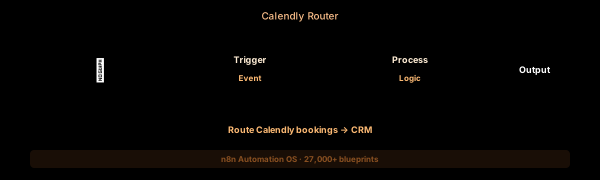

How This Blueprint Works
When a prospect books a meeting, your sales team needs instant context — who they are, where they came from, and what they care about. This n8n workflow listens for Calendly invitation_created events, enriches the booking with CRM data, and routes the lead to the right sales rep based on meeting type and deal size.
The Execution Sequence
- Calendly Trigger Node — Subscribes to the Calendly webhook for scheduled_event.invitee_created. Fires automatically when a visitor completes booking.
- CRM Lookup Node — Uses the invitee email to search HubSpot (or any connected CRM) for existing contact history, lead score, and company data.
- Sales Router Node — A conditional Switch node. New business demos ($10K+) route to senior reps; discovery calls route to SDRs; support meetings route to CS.
- Slack Notification Node — Composes a Slack Block Kit message with meeting details, CRM context, and an interactive Assignee picker, then posts to #inbound-routing.
- Fallback Queue Node — If the email doesn’t match any CRM record, the booking details are appended to a Google Sheet for manual assignment by the ops team.
FAQ
Can I route to multiple Slack channels based on meeting type?
Yes. The Switch node supports unlimited branches. Create a rule per meeting type (demo, discovery, quarterly review) and map each to a different Slack channel or user group.
Does this work with Calendly Team and Enterprise plans?
Yes. The Calendly Trigger node supports all subscription tiers. Enterprise users can additionally filter by event type UUID for fine-grained routing.
How do I handle rescheduled or canceled meetings?
The Calendly webhook sends cancel and reschedule events. Add a second trigger branch that removes or updates the Slack notification accordingly.
The JSON Blueprint Structure
{
  "name": "Calendly → Sales Lead Router",
  "nodes": [
    { "name": "Calendly Trigger", "type": "n8n-nodes-base.calendlyTrigger", "position": [250, 300] },
    { "name": "CRM Lookup", "type": "n8n-nodes-base.hubspot", "position": [450, 300] },
    { "name": "Sales Router", "type": "n8n-nodes-base.switch", "position": [650, 300] },
    { "name": "Slack Notifier", "type": "n8n-nodes-base.slack", "position": [850, 300] }
  ]
}
What You Get Inside Your SynthOperator System
This workflow is one of 27,400+ blueprints included in the n8n Business Automation OS ($17, one-time). When you deploy the complete system, you get:
- 27,400+ pre-built workflow JSON files across every business domain
- 15 elite AI agents integrated into your automation pipelines
- Lifetime updates, offline operation, and zero recurring fees
**Deploy your complete automation infrastructure today.
System Requirements
Operational Benefits
Trusted by Operators
"Deployed the full OS across 7 client accounts in week one. The 27K template library meant I stopped building workflows from scratch — I search, import, configure credentials, and deploy. Estimated 80+ hours/month saved in workflow development alone. The 15 AI agents replaced $12K/month in contractor overhead."

"The infrastructure architecture is production-grade. I've run 15,000+ workflow executions over 90 days with zero critical failures. The error-handling patterns (retry logic, dead-letter queues, Slack alerting) are already wired in. I spent 3 years building similar tooling in-house — this saved me 6+ months of engineering."

Free: Top 10 n8n Workflows
Get 10 industrial-grade n8n blueprints — ready to import into any instance. Save 10h/week with these ready-to-deploy automations.
- Industrial-grade n8n blueprints
- Recursive Claude subagent instructions
- Localhost deployment guide
- Lifetime update protocol