n8n + LLM Agents in 2026: Orchestration Patterns That Survive Production

SynthOperator Systems Team
Automation Architect
Released
October 2, 2026
Duration
13 min read
The five n8n orchestration patterns that hold up under production load — router, fan-out/fan-in, checkpointed loop, human gate, and fallback chain — with the node maps, the failure modes, and the retry math.

// Key_Takeaways
- ▹ LLM nodes in n8n are probabilistic components in a deterministic pipeline — the architecture job is building the deterministic guardrails around them, not removing them.
- ▹ The five production patterns: Router (classify then branch), Fan-out/Fan-in (parallel agents, merged result), Checkpointed Loop (bounded retries with state), Human Gate (approval before irreversible actions), and Fallback Chain (graceful degradation across models/tools).
- ▹ Every LLM node needs three production wrappers: a structured-output constraint, a validation Code node after it, and a bounded retry policy before you call it resilience.
- ▹ Context is the currency: compress what you send (the Prompt Compressor pattern), checkpoint what you keep, and never let an unbounded loop own your token budget.
01
Index_Structure
↓
Index_Structure
The Direct Answer
Production n8n + LLM orchestration is five patterns wrapped in three guardrails. The patterns: Router (classify, then branch), Fan-out/Fan-in (parallel agents, merged output), Checkpointed Loop (bounded retries with state), Human Gate (approval before irreversible actions), and Fallback Chain (degrade gracefully across models). The guardrails, applied to every LLM node: structured-output constraints, a validation Code node directly after, and a bounded retry policy. Get the guardrails right and the patterns are just topology.
Why Naive LLM Workflows Die in Production
The demo workflow is one trigger, one LLM node, one output. It works until production asks the three questions that kill naive designs:
- “What if the LLM returns garbage?”: No validation, so garbage flows downstream into your database, your client’s email, your API.
- “What if the model is down or rate-limited?”: No fallback, so the whole workflow errors and the execution sits in the red.
- “What if this runs 10,000 times a day?”: No budget control, so month-end billing is a surprise.
The architectural answer is not “use a better model.” It is deterministic guardrails around probabilistic components, which is exactly what the five patterns provide. An LLM node in production is like a contractor: capable, sometimes brilliant, occasionally catastrophically wrong. You don’t fire the contractor; you add a review process.
| Failure mode | Naive workflow | Production pattern |
|---|---|---|
| Malformed LLM output | Flows downstream | Validate Code node + bounded retry |
| Model outage / 429 | Execution fails | Fallback Chain |
| Unbounded cost | Scales linearly with volume | Router + input compression + caching |
| Bad irreversible action | Done before you notice | Human Gate |
| Repeated identical calls | Re-paid every time | Prompt-hash cache |
Pattern 1: The Router
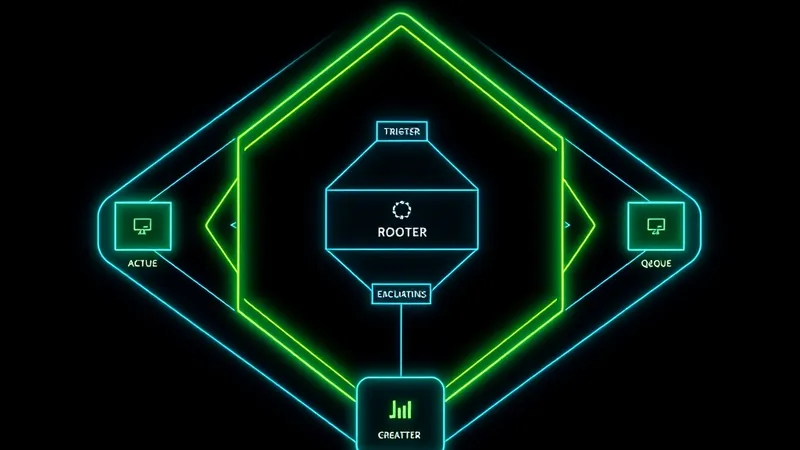
The Router is the workhorse: one cheap LLM call classifies the incoming item, and a Switch node routes it to the specialist flow.
[Webhook] → [LLM: classify → {type: support|lead|invoice|other, confidence: 0-1}]
           → [Code: validate + normalize]
           → [Switch on type]
              ├─ support → [support agent flow]
              ├─ lead    → [CRM enrichment flow]
              ├─ invoice → [extraction flow]
              └─ other / confidence < 0.7 → [Human Gate or fallback reply]
The three production details everyone misses:
- Classify with a cheap model. The router runs on every single item, so it must be fast and nearly free. The specialist flows can use the strong model; the router cannot afford to.
- Validate the classification in Code. The LLM returns JSON; your Code node checks that
typeis in the allowed enum andconfidenceis numeric. Anything else routes to the fallback branch, never to a default branch that silently “handles” it. - Route uncertainty to a human, not to a guess.
confidence < 0.7is not a support ticket; it’s a “I don’t know” that costs more to mishandle than to hold.
Key point: the router is where your cost architecture lives. If 70% of your traffic is invoice extraction, the router sends 70% to a flow tuned for invoices, including a cheaper model and a shorter prompt. The router doesn’t just route work; it routes spend.
Pattern 2: Fan-out / Fan-in
Parallel LLM calls that merge: research five sources and summarize, extract from four document types and produce one record, score a product description in three languages and average.
[Input] → [SplitInBatches: 4 sources]
           ├─ [LLM: extract source 1 → JSON] → [Code: validate]
           ├─ [LLM: extract source 2 → JSON] → [Code: validate]
           ├─ [LLM: extract source 3 → JSON] → [Code: validate]
           └─ [LLM: extract source 4 → JSON] → [Code: validate]
        → [Merge (combine)] → [Code: reconcile + final structure]
The production rules:
- Each lane validates independently. A lane that returns garbage must not poison the merge. The per-lane Code node returns either the validated object or a typed failure marker.
- The merge is a reconciliation, not a concatenation. The final Code node decides: all four agree → high confidence; three agree → majority wins, flag the outlier; two-or-more conflicts → mark the field
disputedand route to a human. - Bound the fan-out. Ten parallel LLM calls is ten times the latency variance and ten times the failure surface. If the task genuinely needs 10 sources, batch them 5+5.
The reconciliation step is the pattern’s actual value: it converts “four maybe-right answers” into “one answer with a confidence story,” which is what downstream systems can act on.

Pattern 3: The Checkpointed Loop
The bounded retry loop is where most LLM workflows either save themselves or burn themselves. The production shape:
[Attempt node] → [LLM: generate] → [Code: validate]
                                   ├─ valid → [Exit loop]
                                   └─ invalid → [Code: append error to prompt, attempt++ ]
                                               → [IF attempt < 2] → back to [LLM]
                                               → else → [Fallback branch]
The math that keeps it sane:
- 2 retries max, ever. The marginal quality gain from a third retry is small; the cost and latency are not. Two attempts plus a fallback covers the realistic failure distribution.
- Append the specific error. “Try again” wastes the retry. “Field
totalwas a string; it must be a number. Previous output: {…}” converts the retry into a targeted fix. - Checkpoint state in Postgres, not in the execution. If the workflow crashes mid-loop, the next run resumes from the stored attempt count and last output instead of re-paying for everything. For high-volume pipelines this is the difference between idempotent and expensive.
- Log every attempt’s prompt and output. Not “for debugging someday”: the validation-error distribution you collect tells you which prompts to improve, which is a permanent cost reduction.
Warning: an unbounded “retry until valid” loop is a token incinerator with a success screen. We have seen a single malformed-schema workflow burn a day’s LLM budget in 40 minutes because the model kept returning the same shape it was told not to return. The bound is not an optimization; it is the safety device.
Pattern 4: The Human Gate
Any action that is irreversible, externally visible, or customer-facing gets a gate: sending the email, posting to social, writing to the client database, spending money.
The production shape:
[LLM: draft the action] → [Code: policy checks (sendable?, within limits?)]
                         → [Human Gate node / wait-for-webhook]
                             ├─ approved → [execute action]
                             ├─ edited   → [execute the edited version]
                             └─ rejected → [log reason → feed into prompt improvement]
Three details that make gates actually work:
- The gate shows the diff, not the blob. “Here’s what will be sent” beats “here’s the JSON.” The approver’s job is a 10-second yes/no.
- Rejections are training data. Every rejection reason appended to a log table is a free prompt-improvement dataset. Monthly, read the top 20 rejection reasons and fix the prompts that caused them.
- Gate latency is budgeted. A gate that waits 4 hours slows the pipeline; a gate nobody checks becomes a rubber stamp. Route low-risk items past the gate with a sampling check (approve 95%, review 5%), and reserve the full gate for high-risk classes; the router from Pattern 1 tells you which is which.
For the agent side of this pattern (where the gated action is an autonomous agent’s tool call), the architecture extends naturally into the agent-team setups we covered in Does Claude Pro Include Agents?.
Pattern 5: The Fallback Chain
Models go down. Rate limits hit. The chain degrades gracefully instead of erroring:
[LLM: primary model (strong)]
  ├─ success → [continue]
  └─ failure (timeout / 429 / 5xx / validation)
      → [LLM: secondary model (mid-tier, same prompt)]
          ├─ success → [continue, flag: degraded]
          └─ failure → [static response / human queue]
Production rules:
- Fail on validation, not just on HTTP. A 200 response with a malformed body is a failure for the chain. The validation node’s verdict is what triggers the next link.
- Keep prompts model-agnostic. The moment your prompt says “as GPT-4 you are…”, the fallback chain is fiction. Write prompts that specify the task and output contract, not the model’s identity.
- Flag degraded outputs downstream. The consumer (dashboard, client report) should know the answer came from the mid-tier model. A silent quality drop is worse than a visible one.
- The chain ends in a human queue, never in a silent drop. If every link fails, the item goes to a review table with everything needed to finish it manually. The workflow fails loud; the business does not stop.
The Token Budget: Compress, Cache, Route
The guardrail patterns control correctness; these three levers control cost, and they compose with every pattern above.
1. Compress inputs before every LLM call. The single highest-ROI habit in LLM orchestration. Boilerplate system headers repeated verbatim, 200 turns of chat history where 5 matter, full documents where a section suffices, all of it is spend. The pattern: a Code node (or the free Prompt Compressor logic as a reference) strips, truncates, and restructures the payload before the LLM node sees it. In our pipelines this is routinely a 30-50% input reduction with zero measurable quality loss.
2. Cache by prompt hash. Repeated inputs (same invoice format, same product description batch, same classification on near-identical text) should hit a Postgres/Redis lookup on hash(model + prompt) before any API call. Even a 20% cache hit rate is 20% of your bill, gone.
3. Route by complexity. The Router pattern (Pattern 1) doubles as the cost router: a cheap classifier sends the easy 80% to the cheap model. The expensive model appears in the pipeline only where it measurably wins, which the evaluation data from your fallback chain (Pattern 5) tells you, because you’ve been running both.
| Lever | Typical savings | Implementation cost |
|---|---|---|
| Input compression | 30-50% of input tokens | 1 Code node per LLM call |
| Prompt-hash caching | 10-40% of calls eliminated | 1 lookup node + storage |
| Complexity routing | 40-70% off strong-model spend | Router + per-tier prompts |
Pro tip: measure before and after, in your billing data, not in token estimates. The AI Model Comparator gives you the per-token economics of each model tier so the routing thresholds are set on real prices, not vibes.
The Node Map (Reference)
| Stage | Node | Job |
|---|---|---|
| Ingress | Webhook / Schedule / Cron | Trigger + payload |
| Classify | LLM (cheap model) + Code | Router: type, confidence |
| Route | Switch / IF | Branch to specialist flow |
| Transform | LLM (tiered) | Generation/extraction/transformation |
| Guard | Code (validate) | Schema, ranges, required fields |
| Retry | IF attempt < 2 + loop | Bounded retry with error context |
| Degrade | LLM (secondary) → static | Fallback chain |
| Approve | Human Gate / wait-webhook | Irreversible-action gate |
| Merge | Merge + Code (reconcile) | Fan-in with confidence |
| Persist | Postgres / Sheets | State, attempts, degradations, rejections |
| Act | HTTP / platform node | The actual external action |
| Learn | Code (log) | Validation errors + rejections → dataset |
Scaffolding this topology by hand takes an afternoon; the free n8n Workflow Generator takes a plain-English description (“webhook in, classify support/lead/invoice with a cheap model, route to specialist flows, validate JSON, two retries, human gate before email send, fallback to a canned reply”) and emits the import-ready JSON with the branches wired. You supply credentials and the prompts.
The Bottom Line
You do not make LLM workflows reliable by using a better model. You make them reliable by wrapping every probabilistic node in deterministic guardrails (constrain, validate, bound, gate, degrade) and by treating the topology as a cost instrument: compress what enters, cache what repeats, route what’s easy. Five patterns, three guardrails, one budget discipline. That is the whole architecture, and it is why the pipelines that survive 2026 look less like “AI magic” and more like boring, observable plumbing with a model bolted into the middle.
The complete production kit (these five patterns as importable workflow templates with the guardrail nodes pre-wired) is in the n8n Automation OS. For the deeper n8n foundation, see our n8n Automation Blueprint 2026 and the Pinterest automation case study; for the agent-side architecture, read Does Claude Pro Include Agents?.
// FREE_TOOL
Free Tool: n8n Workflow Generator
Describe the orchestration in plain English — trigger, branches, agents, fallbacks — and get an import-ready n8n JSON with the topology wired.
Try the Free Tool →// Frequently_Asked_Questions
What are the core n8n orchestration patterns for LLM agents in 2026? ↓
Five patterns cover most production systems: the Router (an LLM classifies the request, an IF/Switch branches to specialist flows), Fan-out/Fan-in (parallel LLM calls merged by a Code node), the Checkpointed Loop (bounded retries with persisted state), the Human Gate (workflow pauses for approval before irreversible actions), and the Fallback Chain (primary model fails → cheaper/alternate model → static response).
How do I make LLM output reliable in an n8n workflow? ↓
Constrain, validate, retry — in that order. Constrain the output shape (JSON schema or a strict output parser in the AI Agent node), validate it in a Code node immediately after (type checks, required fields, range checks), and retry with the validation error appended to the prompt — but bound the retries (2 max) and route to a fallback after.
How do I stop n8n workflows from burning LLM tokens? ↓
Three levers: compress inputs before each LLM call (strip boilerplate, truncate old history to the last N turns), cache repeated calls (an HTTP/Redis or Postgres lookup on a hash of the prompt), and route by complexity (a classifier sends 80% of traffic to the cheap model and only the hard 20% to the expensive one). Together these routinely cut spend 40-70%.
When should I use an AI Agent node versus a plain LLM Chain in n8n? ↓
Use the AI Agent node when the LLM must choose and call tools (search, database, your other n8n workflows) and the number of steps is unknown. Use a plain LLM Chain when the steps are fixed and you just need a transformation — chains are cheaper, faster, and easier to test. Production rule: default to the chain; promote to an agent only when the workflow demonstrably needs tool selection.
// About_the_Author
SynthOperator Systems Team
Automation Architect
Designing scalable n8n workflows, AI automation systems, and growth infrastructure.